
How to Get Better AI Face Swap Results: 10 Pro Tips
Getting a convincing AI face swap is not just about picking the right tool — it is about how you prepare your images before you even hit the swap button. Whether you are creating content for social media, producing marketing visuals, or just having fun with friends, knowing how to get better AI face swap results separates amateur-looking outputs from swaps that are genuinely indistinguishable from real photos. This guide shares 10 battle-tested techniques that professional creators use daily with tools like Facing AI to achieve flawless, realistic face swaps every single time.
Why Most AI Face Swaps Look Fake (And How to Fix It)
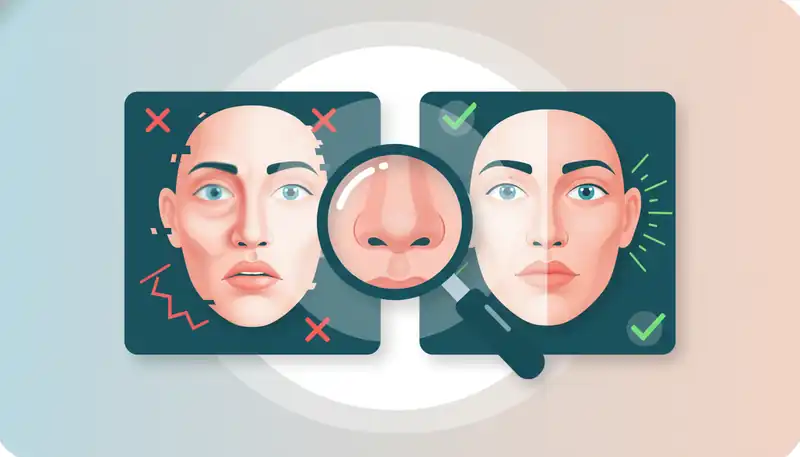
The technology behind modern AI face swaps is impressive — tools like Facing AI use deep learning models that map 68+ facial landmarks to align features with sub-pixel accuracy. Yet many users still get results that look obviously manipulated. The reason is almost never the AI itself. In 9 out of 10 cases, the problem is the input: mismatched lighting, low-resolution source photos, extreme angles, or obstructed faces.
The good news? Every one of these issues is fixable before you upload. The tips below address each root cause systematically, starting with the highest-impact improvements first.
Tip 1: Use High-Resolution Source Photos
Resolution is the single biggest factor in face swap quality. The AI needs enough pixel data to accurately map facial features, match skin texture, and blend edges seamlessly. A source face at 512x512 pixels minimum is the baseline — but 1024x1024 or higher produces noticeably sharper results.
What this means in practice:
- A standard smartphone selfie (typically 3000x4000 pixels) is more than sufficient
- Cropped screenshots from video calls or social media thumbnails are usually too low-resolution
- If you must crop, ensure the face area alone is at least 512px wide after cropping
Low-resolution inputs force the AI to interpolate (guess) missing detail, which creates the characteristic softness and blurriness that gives away a face swap.
Tip 2: Match Lighting Direction Between Photos
Lighting mismatch is the most overlooked cause of unrealistic swaps. If your source face is lit from the left but the target photo has light coming from the right, the AI cannot fully compensate — shadows will fall on the wrong side of the nose, cheekbones, and chin.
Quick checklist:
- Identify the primary light source direction in both images
- Match them within 30 degrees for best results
- Avoid harsh directional lighting when possible — soft, diffused light is the most forgiving
- If you are taking a dedicated source photo for future swaps, photograph it under neutral, even lighting from the front
Professional content creators who use Facing AI regularly keep a library of source photos shot under multiple lighting conditions specifically for this reason.
Tip 3: Choose Front-Facing Angles
Face swap AI performs best when both the source and target faces are within 15-20 degrees of a straight-on front view. Extreme side profiles, upward angles, or heavily tilted heads create geometric mismatches that even the best algorithms struggle to resolve.
This does not mean every swap requires a perfectly centered headshot. Modern AI handles moderate angles well — a natural conversational pose (slightly turned head, mild tilt) works fine. The problems start when one image is a side profile and the other is front-facing.
Tip 4: Keep Faces Unobstructed
Sunglasses, hats, heavy bangs, hands touching the face, and large earrings all block the AI from seeing the full facial structure. The algorithm needs clear visibility of:
- Forehead to chin
- Ear to ear (or close to it)
- Both eyes and eyebrows
- The full jawline and neck transition area
Remove accessories before taking a source photo when possible. For target images where obstructions are unavoidable, expect the AI to work around them — results will be acceptable but not flawless.
Tip 5: Match Skin Tones Approximately
Modern AI face swap tools automatically adjust skin tone during blending, but they work within limits. When the source and target skin tones are dramatically different — for example, very fair source on a very dark target — the blending zone around the jawline and hairline becomes visible.
For the most seamless results:
- Choose source and target photos with roughly similar skin tones
- If significant tone differences are unavoidable, check the jawline and forehead edges carefully after the swap
- Tools like Facing AI use intelligent skin blending that handles moderate differences well, but extreme mismatches push any tool past its limits
Tip 6: Pay Attention to Expression and Mouth Position
A wide-open laughing mouth swapped onto a closed-smile target creates an uncanny valley effect. The AI maps expression features (mouth shape, eye squint, brow position) from the source face, so a significant mismatch in expression between source and target produces a face that does not match the body's apparent emotion.
Best practice: Choose source photos with a neutral expression or slight smile. This is the most versatile starting point that blends naturally with the widest range of target poses and expressions.
Tip 7: Use Similar Photo Resolutions
Swapping a 4000x3000 pixel source face onto a 640x480 pixel target (or vice versa) creates an obvious quality mismatch. The swapped face will either look unusually crisp on a soft background or unnaturally blurry on a sharp image.
Match the resolution of your source and target within a reasonable range. If you have a high-resolution source and a lower-resolution target, the AI will downsample the source face — which is acceptable. The reverse (upsampling a low-res source to a high-res target) always degrades quality.
Tip 8: Test on Short Clips Before Full Videos
For video face swaps, always run a 5-10 second test clip before committing to a full-length video. This saves processing time and credits while letting you verify:
- Face tracking consistency across frames
- Lighting adaptation during camera movement
- Edge blending quality during fast motion
- Whether the source face holds up under changing angles
A 5-second test on Facing AI takes seconds to process and reveals any issues before you invest in a complete video swap.
Tip 9: Check Edges at 100% Zoom
After every face swap, zoom in to 100% (actual pixels) and inspect the blending zones:
- Jawline: The most common area for visible seams
- Hairline: Where the source face meets the target's hair
- Neck transition: Color mismatches often appear here
- Forehead edges: Especially near the temples
If you spot issues in these areas, try a different source photo with better lighting or angle alignment. Small adjustments in the source image often fix edge artifacts completely.
Tip 10: Build a Source Photo Library
Professional face swap creators do not search for source photos every time. They maintain a curated library of 10-20 reference shots taken under controlled conditions:
- 4 lighting setups: front-lit, left-lit, right-lit, and outdoor natural
- 3 expressions: neutral, slight smile, and moderate smile
- 3 angles: straight-on, 15-degree left, and 15-degree right
- Consistent resolution: all at 2000x2000 pixels or higher
This library covers roughly 90% of target scenarios and eliminates the source photo as a variable entirely, letting you focus on choosing the best target image.
Frequently Asked Questions
What resolution should my source photo be for a face swap?
Your source photo should be at least 512x512 pixels, with 1024x1024 pixels or higher recommended for professional-quality results. Standard smartphone photos at 3000x4000 pixels work excellently. Avoid using cropped social media thumbnails or video screenshots, as their low resolution forces the AI to interpolate missing detail.
Why does my face swap look blurry around the edges?
Edge blurriness typically results from a resolution mismatch between source and target images, or from using a low-resolution source photo. Ensure both images have similar resolution and that the source face area is at least 512px wide. Also check that lighting direction matches between both photos — mismatched lighting creates unnatural shadow blending at the edges.
Can AI face swap handle group photos with multiple faces?
Yes, modern tools like Facing AI can detect and swap multiple faces in a single image. For best results with group photos, ensure each face in the image is clearly visible and meets the minimum resolution threshold. Process the most important face first to verify quality before swapping additional faces.
How do I make video face swaps look more realistic?
Start with a 5-10 second test clip to check tracking consistency. Use a front-facing source photo with neutral expression and even lighting. Avoid source images with extreme angles, as the AI needs to track facial landmarks across changing video frames. Higher resolution source photos produce better frame-by-frame consistency.
Get Flawless Face Swaps Every Time
Better AI face swap results come from better inputs — not better tools. Master these 10 tips and you will consistently produce face swaps that look completely natural. High-resolution source photos, matched lighting, front-facing angles, and unobstructed faces are the foundation. Everything else is refinement. Ready to put these techniques to work? Try a free face swap on Facing AI and see the difference professional preparation makes.